A Small-Screen Watch Party with One Question in Mind
A small-screen watch party built around one question helps friends notice how a short online video introduces its subject without turning viewing into homework.
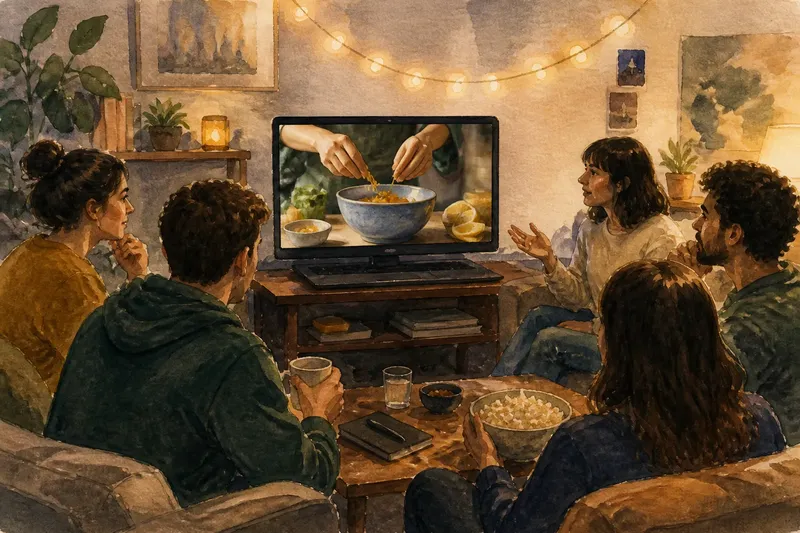
A small-screen watch party works best when everyone has one easy question to carry into the video: how does it introduce its subject? That focus keeps the gathering relaxed while giving viewers something specific to notice, whether the clip is a cooking demonstration, a music performance, a miniature documentary, or an animated short.
The aim is not to pause after every cut or turn friends into a critique panel. Watch the video together, share a few observations afterward, and let the host make the viewing comfortable. A little preparation helps the conversation stay focused without making the event feel staged.
What kind of video suits this gathering?
Choose a short video with a subject people can recognize quickly, but with an opening that leaves room to wonder how it will unfold. A baker preparing one unusual ingredient, a street musician setting up in a busy square, or an animator showing a character in an unfamiliar place could all work. The video should be complete enough to watch on its own.
Look for an opening that gives viewers something to notice: a person, object, problem, location, or striking image. The central question is not whether the video is “good” in some universal sense. It is how the video helps a viewer understand what matters and why they might stay.
Before inviting people, watch the candidate video once by yourself. Check that its sound is clear, its opening is not buried under a long channel introduction, and its subject is suitable for the group. If the video includes a sponsor message or a long lead-in, decide whether that belongs in the shared viewing or whether you would rather choose another clip.
Keep a second option ready in case the first video has a broken link, unexpected content, or a format that does not suit the room. The backup can be from a different creator but should still give the group a clear subject to follow.
How should you invite people?
Keep the invitation straightforward. Say that you are watching one short online video together and that the question is how it introduces its subject. Tell guests whether they should bring anything, whether the gathering is in person or on a video call, and whether you plan to watch once or include a second viewing.
Present the question as an invitation, not an assignment. People can notice different things, and nobody needs to prepare an interpretation in advance. A guest who spots the first clear detail about the subject may have as useful an observation as someone who follows the music or editing.
If the group has different levels of familiarity with video-making, avoid terms that sound like a test. “What did the video show you first?” is more welcoming than asking everyone to identify a formal technique. You can introduce a production term later if it helps explain an observation.
For a remote gathering, share the link ahead of time and agree on how playback will work. One person can share a browser tab, or everyone can open the same link and start together after a brief countdown. If guests are in different time zones or have varying connection quality, choose the simplest arrangement for the group rather than treating perfect synchronization as a requirement.
How do you set up the room or call?
For an in-person watch, place the screen where everyone can see it without turning the seating into a classroom. A laptop on a stable table may be enough for a small group; a television can make the image easier to share in a larger room. Set the volume so dialogue and quiet sound effects remain audible without crowding out conversation before the video starts.
Make it easy for people to settle in. Put the link in a message or have it ready in a browser tab, silence unrelated notifications, and offer water or a simple snack before playback. Once the video begins, avoid checking messages or talking over the opening; the group needs a quiet moment to register how the subject arrives.
For a video call, test the sound-sharing option with the group before starting. Ask participants to mute themselves during playback if their rooms are noisy, then unmute afterward. If the platform’s shared audio sounds thin or delayed, let everyone play the video locally and use a verbal countdown.
Do not overdecorate the event with slides, background reading, or a long introduction. The shared screen and the question are enough. Give people a moment to get comfortable, then say the question once in plain language.
What should everyone watch for?
Offer a few possible points of attention without asking guests to track all of them. The first image may establish a place; a voice may explain a problem; a close-up may signal that a small detail matters. These are prompts, not a checklist the audience must complete.
Invite viewers to notice when they first understand what the video is about. Some may identify the subject immediately, while others may need a line of narration or a change in image. That difference can open a useful conversation about what the video chooses to reveal first.
Pay attention to how the video earns curiosity. Does it show a task already underway, introduce a person before explaining the situation, or present an intriguing object and then provide context? The point is to describe what appeared and when, not to guess at the creator’s private intentions.
Say, for instance, a group watches an invented short video that opens on a chipped blue bowl, then shows a baker filling it with bright citrus peel. One guest might say the bowl caught their attention first; another might say the baker’s hands made the subject clear. Their different observations give the group a concrete place to begin.
How can you guide the first conversation?
After playback, leave a brief pause before asking for comments. That gives everyone a chance to form an impression instead of racing to echo the first speaker. Start with a simple prompt: “What did you think the video was about at the beginning?”
Follow with questions that stay close to the screen. Which image or sound first made the subject clear? Did the video explain the context in words, show it through action, or combine both? Was there a moment when your understanding changed?
Make room for disagreement. One viewer may feel the opening was clear, while another may have needed more context. Ask what each person saw or heard that led to that response; a specific detail is more useful than debating whether someone watched “correctly.”
Keep contributions short enough for everyone to join in. If one person begins a detailed account of every edit, gently return to the shared question: what did the video use to bring its subject into view? That redirect preserves the relaxed mood without dismissing the observation.
Should you watch the opening again?
A second viewing can help if the group wants to check a particular moment. Replay only the opening or another short passage, and name what you are looking for: the first clear view of the subject, the arrival of narration, or a change in sound. The replay should answer a question the conversation has raised, not invite a line-by-line dissection.
Ask before replaying. Some guests may prefer to keep the first impression intact, and the group does not need another viewing to have a worthwhile conversation. If people are curious, replaying the opening can reveal whether the video gave an early clue that seemed obvious only after the ending.
When you do replay, avoid stopping every few seconds. Let the passage run, then ask what viewers noticed this time. A continuous replay preserves the opening’s rhythm and gives the group a fair chance to see how image, speech, and sound work together.
What questions keep the discussion welcoming?
What does the video show first?
Invite each person to name the first image, sound, or action they remember. Different answers can reveal that viewers entered the subject through different cues.
When did the subject become clear?
Ask viewers to identify the moment they felt they understood what the video would follow. They can point to a visual detail, a spoken line, a location, or a shift in action.
What made you want to keep watching?
People might mention an unanswered question, a personality, a process, or an unusual image. Ask for the moment that prompted the reaction rather than treating curiosity as a vague compliment.
What would you tell someone before sharing the link?
This question encourages a useful description without asking the group to rate the video. A guest might mention its subject, its tone, or the detail that makes the opening memorable.
How do you close without stretching the event?
End by asking each guest for one sentence about how the video introduced its subject. Anyone who wants to add more can do so, but the round should feel optional. A concise final thought gives the gathering a natural stopping point without requiring a verdict.
If the group wants another watch party, ask what kind of opening they would like to notice next: a person entering a place, a question posed in narration, a process already underway, or an image that gains meaning later. Keep that suggestion separate from the current conversation so the first video can stand on its own.
You can also share the link afterward with a short note that names the question the group discussed. That gives absent friends a clear way into the video without implying that they need to complete an assignment. For a small-screen watch party, the most useful result is often a sharper eye for how a subject first comes into view—and an easy reason to watch together again.